live

SodaVPN
A private VPN. Connection and payment through Telegram.
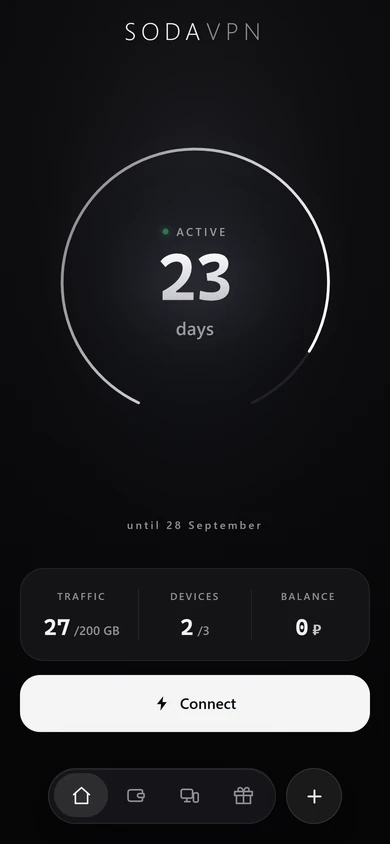
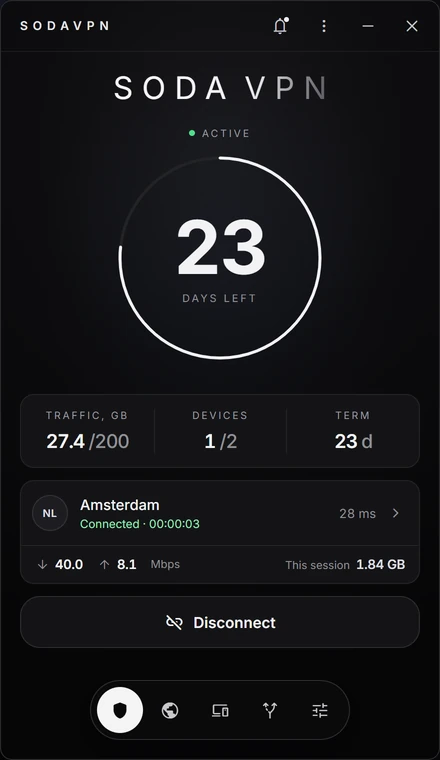
The Mini App in Telegram, and the app.
The subscription, the devices and renewal live in the Mini App, right inside Telegram. Our own Windows app is in closed beta; phones connect through the ready-made clients.
What it does.
An outside node in your place
The route goes through an outside node: sites see the node, not you.
An encrypted tunnel
The networks along the way see a stream, not its contents.
Switch it on and forget it
A connection you stop thinking about. The node changes from the app at any moment.
How to connect.
- the bot
- Open the bot in Telegram. It hands out access and the instructions; payment and renewal happen there too.
- the client
- The protocol is VLESS. Phones connect through the ready-made apps for it; SodaVPN’s own Windows app is in closed beta.
- devices
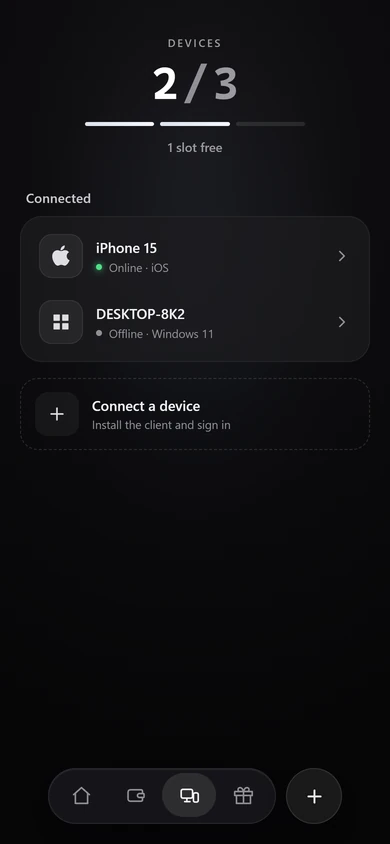
- One subscription for several devices. Device slots are visible in the app: add, free, switch, with no letters to support.
Nodes.
The node can be changed at any moment, from the app.
iOSAndroidWindows
What we hold.
Access is handed out through Telegram, so we know the account it was handed to and the term of the subscription. Details, plans and the answers to questions are on the SodaVPN site.
- the account
- The Telegram account the access was handed to.
- the subscription
- The plan and how long it runs.
How you get it.
Open to everyone, no application. Plans on the SodaVPN site, payment in the bot.