 closed beta
Methmine Browser
An anti-detect browser for multiple accounts, on our own engine, Methium.
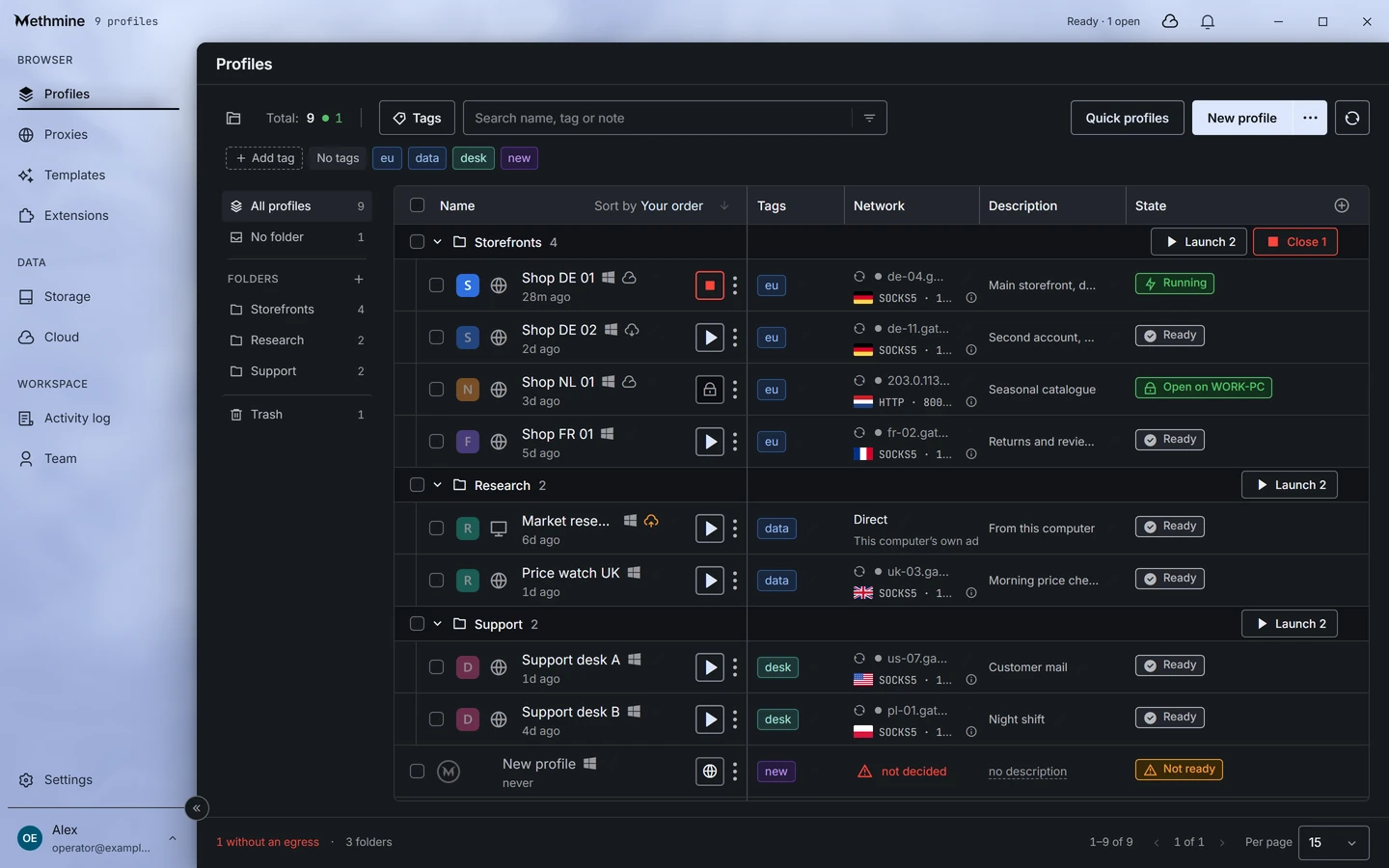
Closed beta: a build is at the testers. The window is captured from the manager’s development build, with invented profiles.
What is Methmine Browser?
Methmine Browser is an anti-detect browser for people who run many accounts. Each profile is a separate browser with its own cookies, machine and proxy, kept on your disk and copied to the cloud only if you turn that on. It runs on Methium, our own build of Chromium, and is in closed beta.
Why we are building it.
A tool that opens from the disk, with a cloud only you turn on. A price without a sales team. Only the data the features you turned on cannot work without.
The network layer is inherited, not imitated.
The engine, Methium, is our own build of Chromium. JA4 and HTTP/2 are checked, byte for byte, against the Chrome build the browser claims to be. Not a promise: a check that is part of the engine build and passes on the bench.
The network check
what it is
Our own build of Chromium with our own patches. Not a browser written from scratch and not a wrapper around somebody else’s binary. The patches are few, and they are rebuilt on every release.
what is inherited
The network layer. We do not rewrite it or touch it up: it is the same as the browser the engine claims to be, and the build checks that it is.
what stays put
Every value a page sees is computed once at launch and is the same in every tab, worker and frame. Nothing is rolled again.
what is cut out
Chromium’s background services that talk to other people’s servers are switched off or bound to us. Where the browser actually connects is measured and published with the first release.
That is the engine as designed; what is already built is in the list below.
Every screen.
Eight screens of the profile manager, as the application draws them today.
Profiles
The whole fleet on one screen.
Folders, tags, egress and state in every row. A folder launches at once with one button, and a profile with no egress is visible before launch, not after.
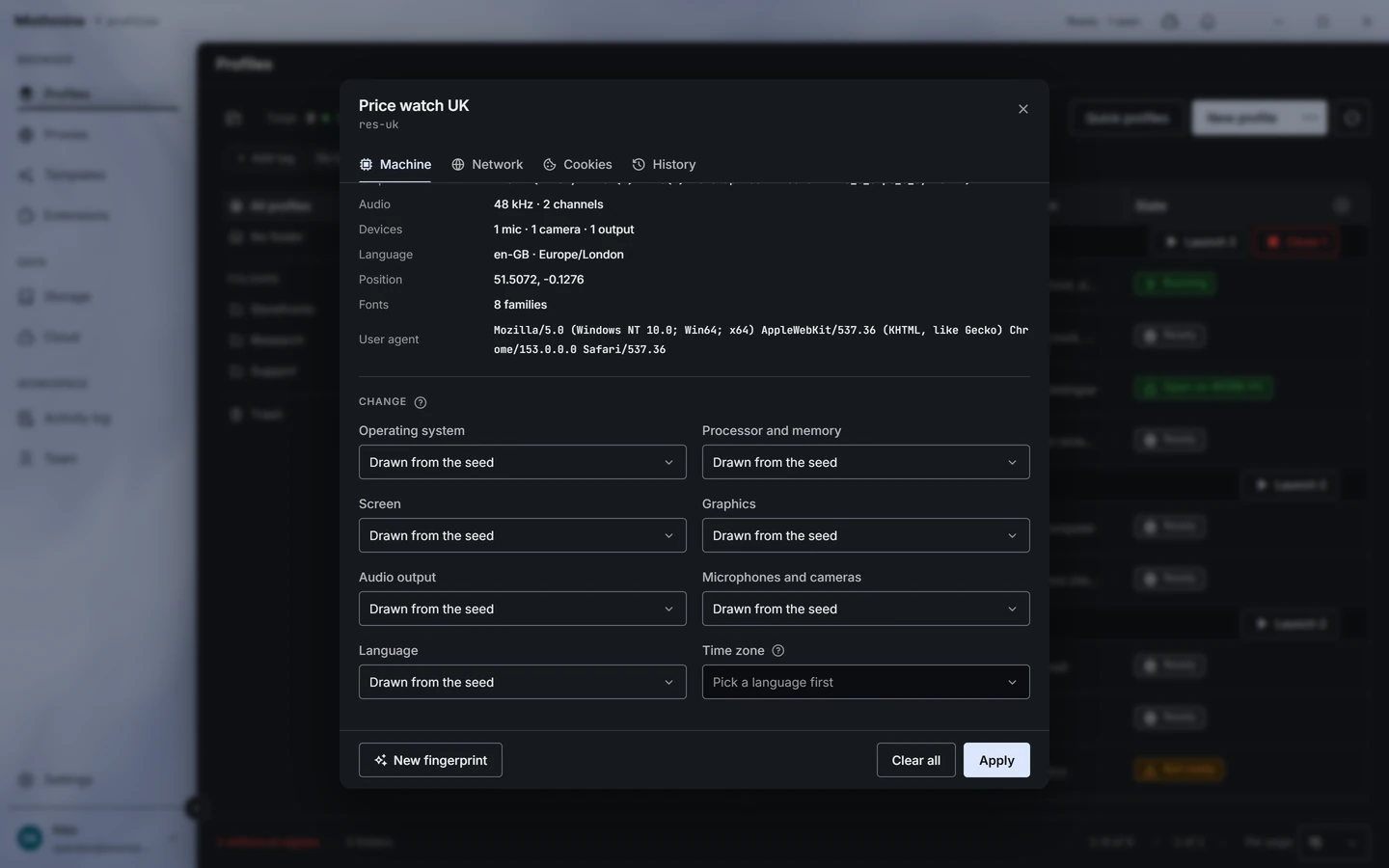
Profile
One profile, one card.
Machine, network, cookies and history on four tabs. Every part of the machine is drawn from the profile’s own seed until you pin it, and the card shows what sites will see before you apply anything.
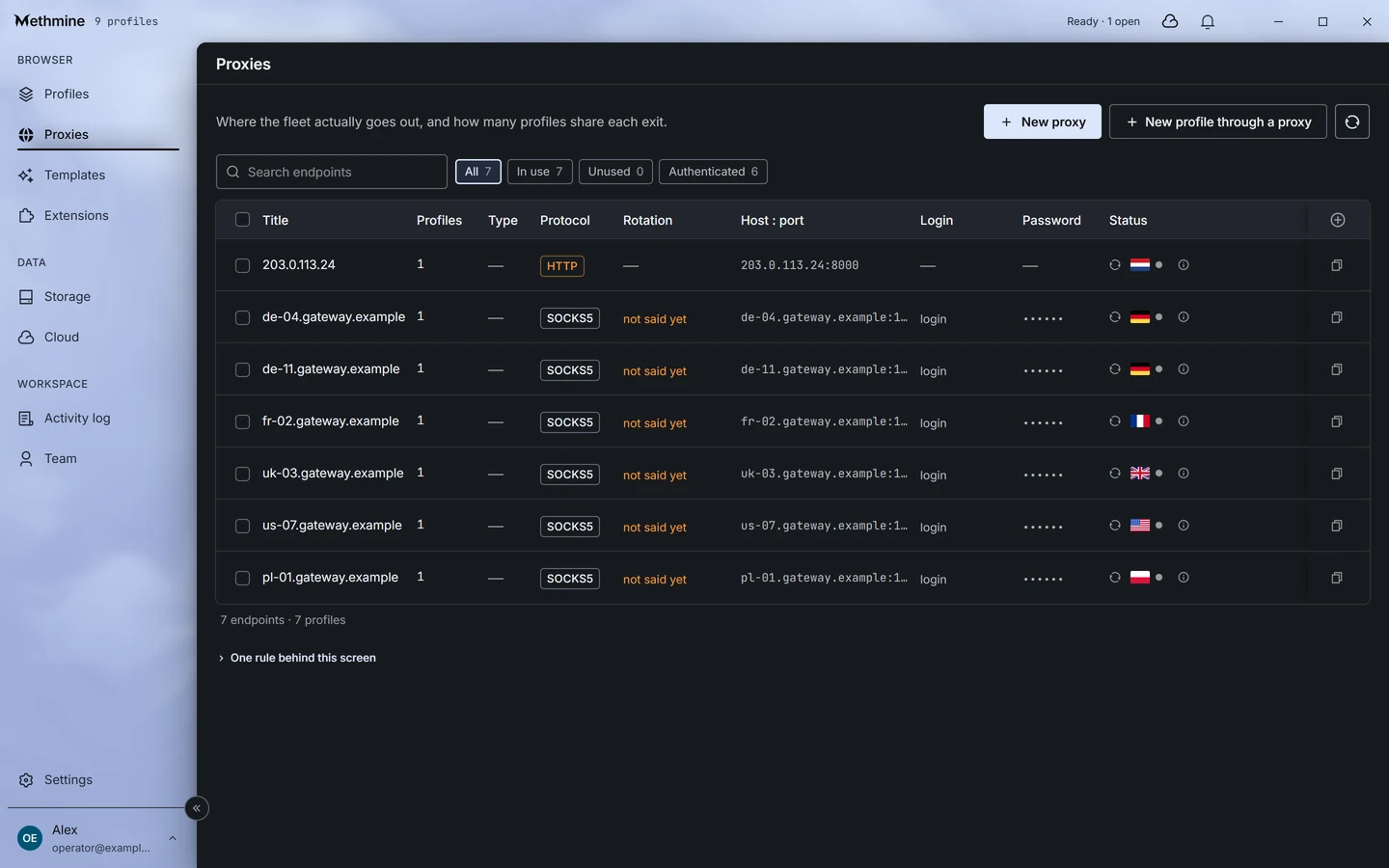
Proxies
Endpoints kept once.
An address is stored once and assigned to profiles, so the fan-out on one exit is stated before the assignment, not discovered after it. If the supplier never said whether it rotates, the screen says so.
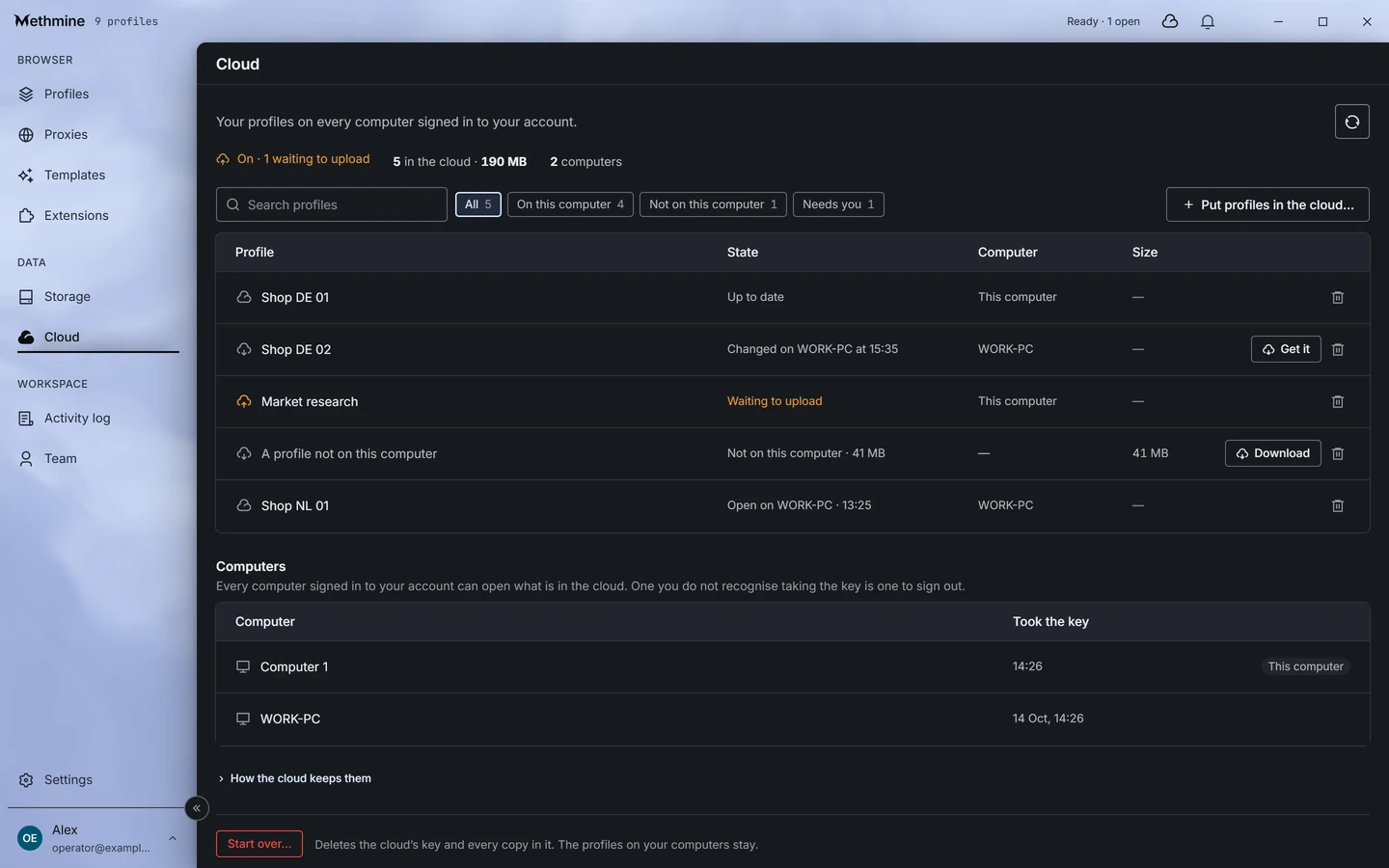
Cloud
Your profiles on every computer.
Turn the cloud on for a profile and another computer signed in to your account finds it there. The screen says which copy is newer, which one is open where, and which computers took the key.
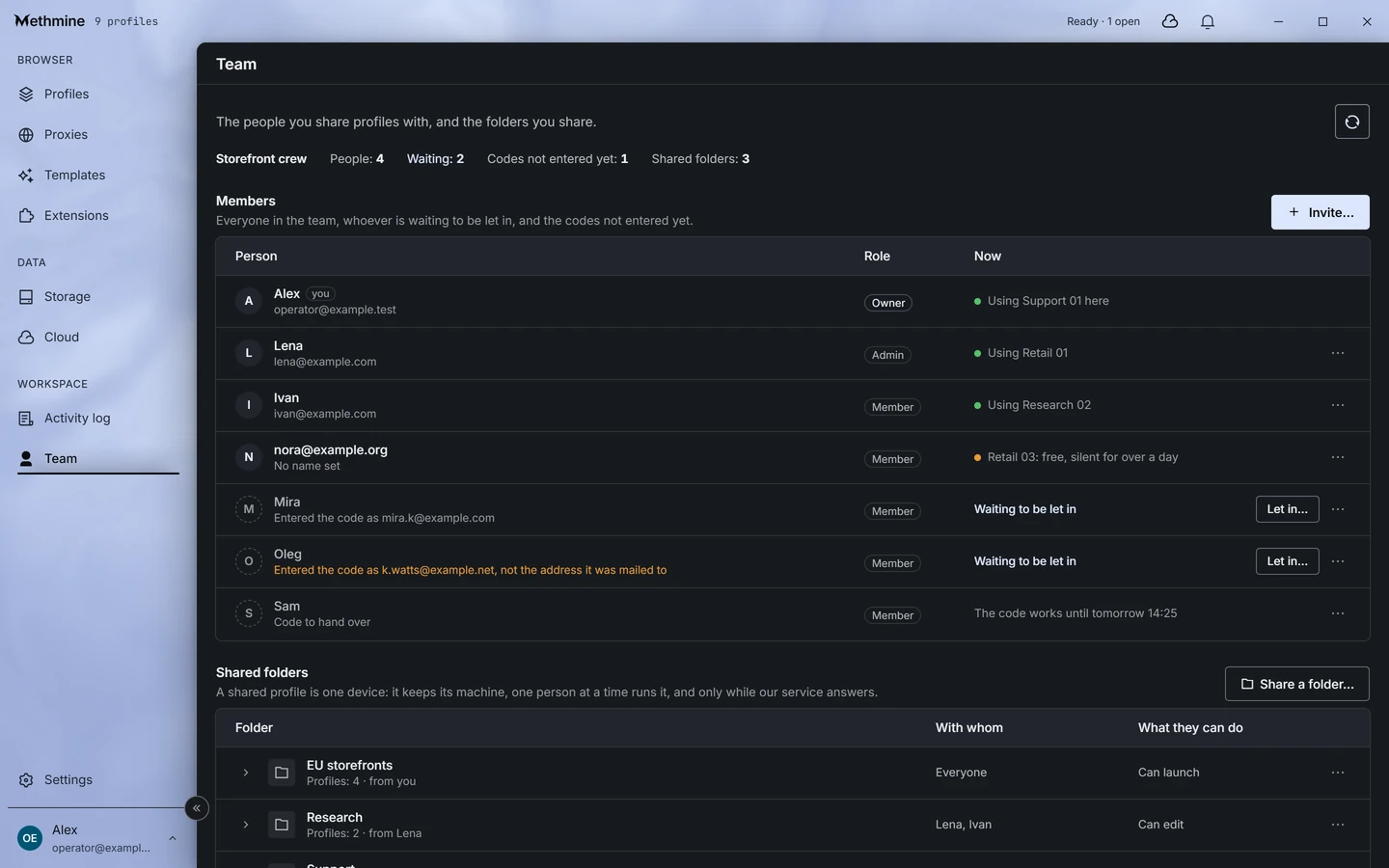
Team
Working as a team.
People join with a single-use code, and somebody in the team lets them in. A shared profile is one device: one person at a time runs it, and the screen says who is using what right now.
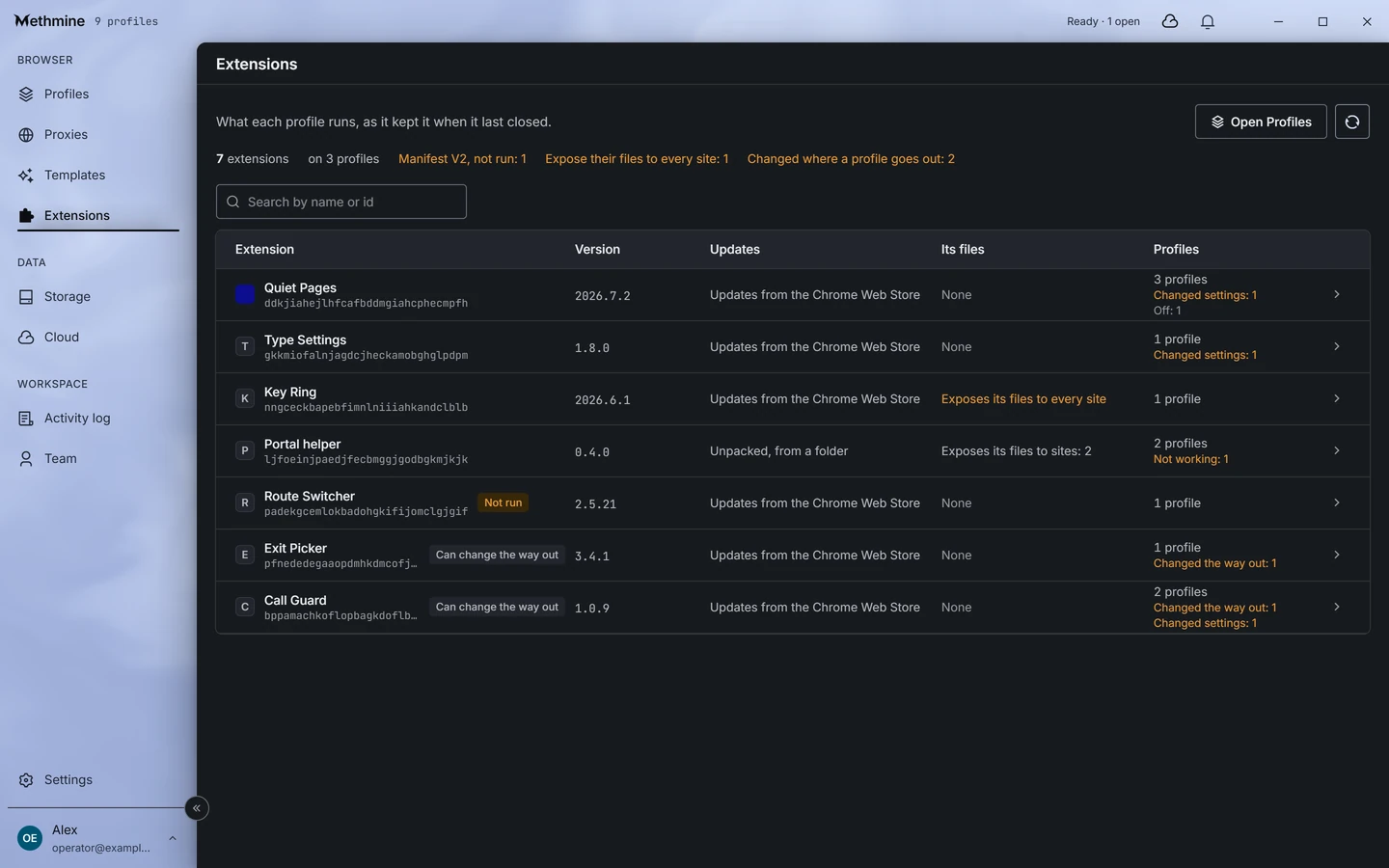
Extensions
Extensions, and what they cost.
The packages you brought, and what each costs the profiles carrying it. An extension signed by you exists nowhere else, and the screen is the first to say so.
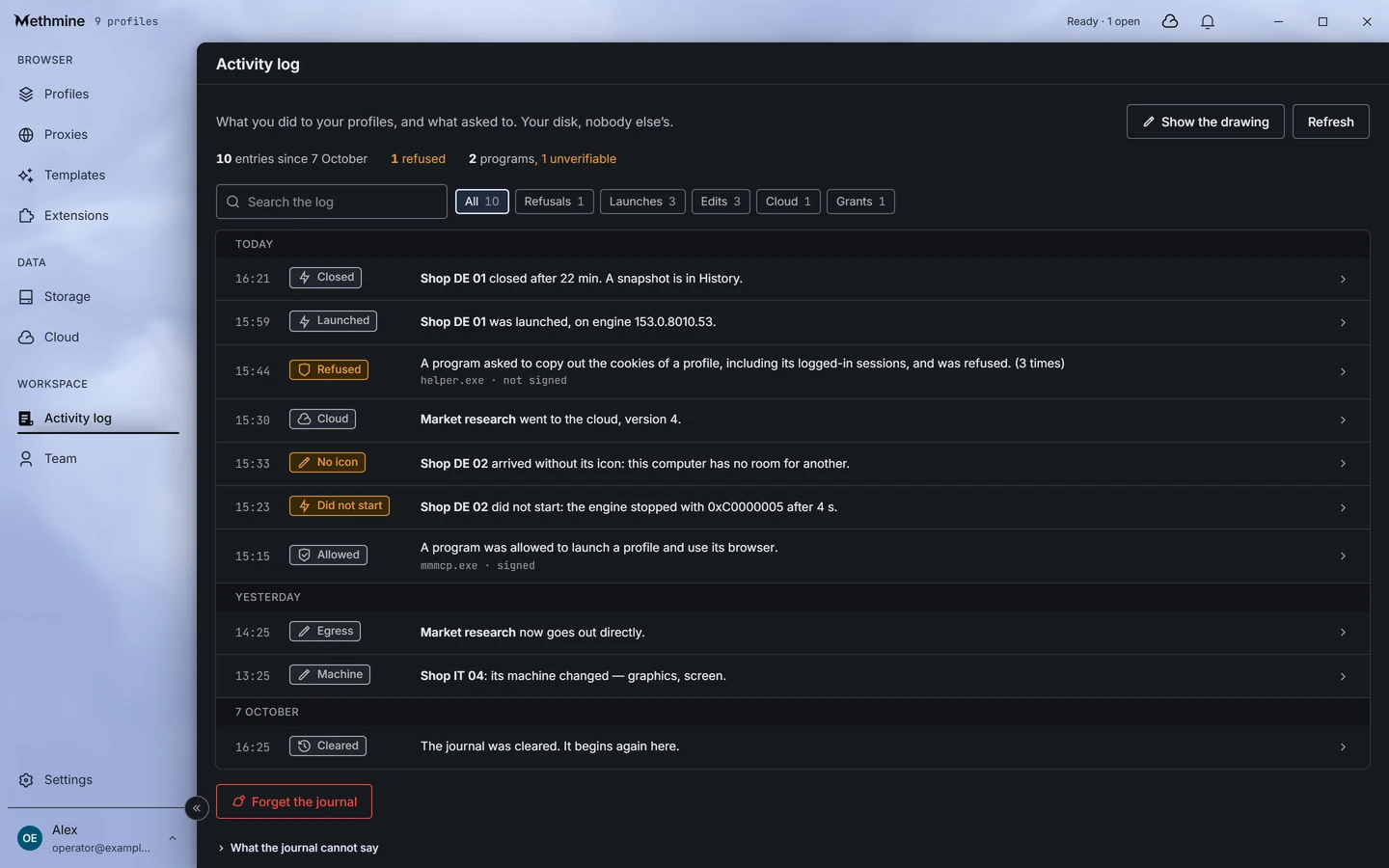
Activity log
A journal of what touched your profiles.
What you did and what asked for access: the signed program got it, the unsigned one did not. Your disk, nobody else’s.
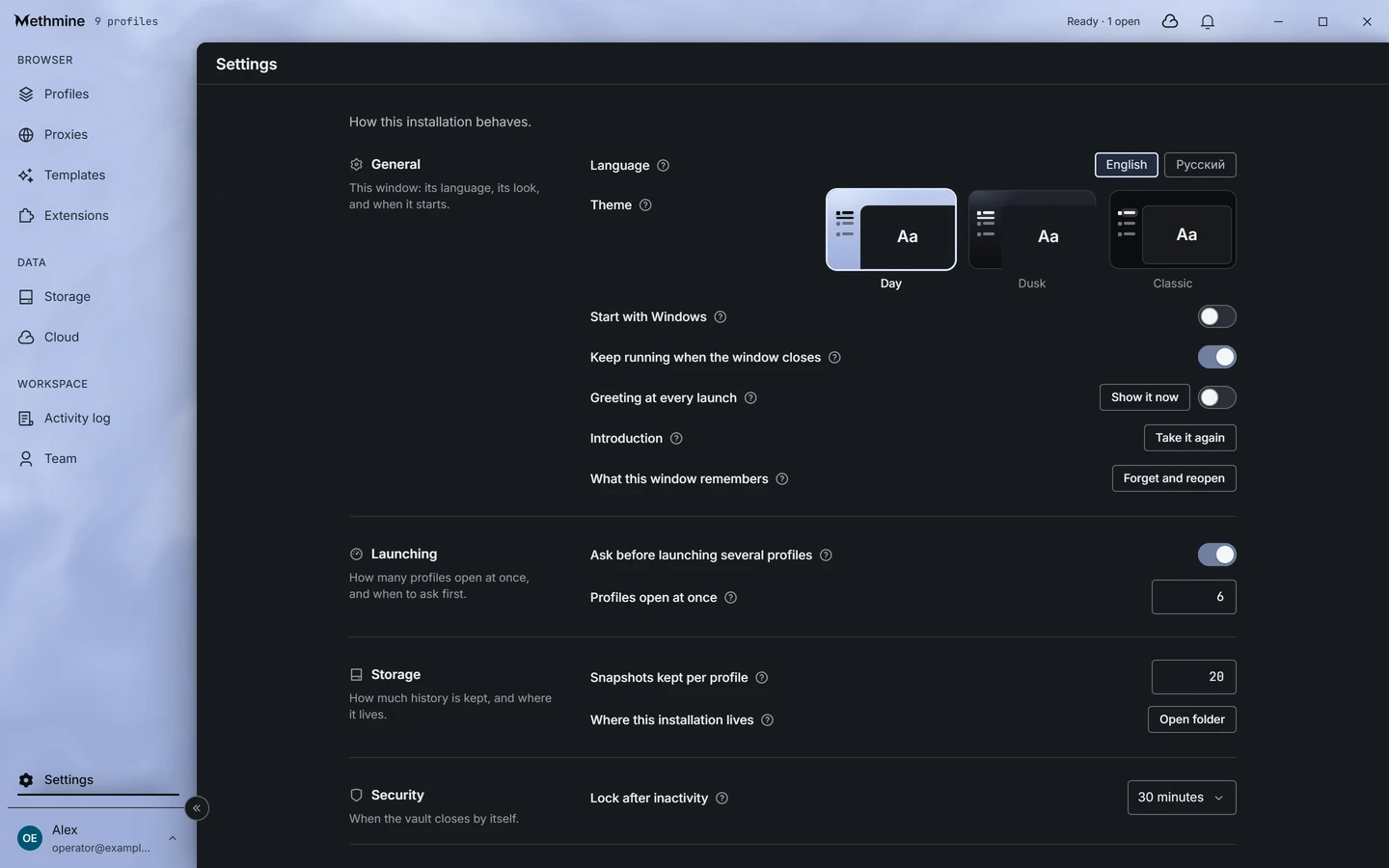
Settings
The window, your way.
Language, the desk’s theme, how many profiles open at once, how much history is kept and when the application locks itself. Each one applies at once.
Screens captured from the manager’s development build; the profiles and people in them are invented. The browser is in closed beta.
Three desks, one instrument.
A theme changes only what stands round the work. The panel, its dialogs and its menus stay the same dark instrument in all three.
The same window in each theme, captured from the development build. The theme is chosen in Settings and applies at once.
The same screens, moving.
A short film, without sound.
The windows in the film are captured from the manager’s development build; the profiles and people in them are invented. The browser is in closed beta.
What it does not do.
We push nobody else’s extensions through a channel of our own, wallets included.
What you bring is what runs: signed by you, existing nowhere else.
We do not ask you to switch off your firewall so that our product will start.
What is on your disk can be read and exported without our server.
A profile does not ask a server’s permission to be read.
The licence decides what you get from the network, not whether your disk opens.
What we hold.
Profiles stay on your disk and open with your password. A recovery key is held by us, so that a forgotten password is not the end of your profiles. If you turn on the cloud for a profile or share it with a team, we hold a copy of it and the key to that copy too: we can technically open it. We chose that with our eyes open and say so plainly.
where the browser connects
The list of addresses the browser talks to is published with the first release, measured rather than written.
what does not depend on us
Reading and exporting profiles. Whatever happens to the subscription or to us, that works from the disk.
What exists today.
- A build is at the closed beta testers.
- The engine builds and passes its browser checks on the bench.
- The network-layer check is written, is part of the engine build, and passes on the bench against it.
- The engine updates from the application: a new build is offered when a profile is launched and installs without a restart, and profiles already open keep running.
- The profile manager exists; the screens above are captured from its development build.
- Profiles travel between installations as a sealed file: the application writes it and reads it, and it opens with a code the application shows on its own.
- Sign-in with an email and a password works.
- The account password can be reset; a reset does not open the profiles. The recovery key does: it is enrolled and changed in the application, and restoring with it is still done from the command line.
Questions and answers
What is an anti-detect browser?
A browser for running many accounts: each profile is a separate browser with its own cookies, its own machine description and its own proxy, kept apart from the others.
How much does Methmine Browser cost?
While the beta runs, there is no price. What comes after, members hear first.
How do I get it?
Closed beta members get the browser: entry by the application on the front page or by a member’s invitation.
Which system does it run on?
The beta build runs on Windows.
Where are the profiles kept?
On your disk, opened with your password. A profile reaches the cloud only if you turn the cloud on for it; then we hold the key to that copy too.
Can each profile have its own proxy?
Yes. Endpoints are kept once and assigned to profiles, and how many profiles share one exit is shown before you assign.
Can a team share profiles?
Yes: people join with a single-use code, and one person at a time runs a shared profile. Shared profiles, like cloud copies, are ones we can technically open.
What is it built on?
Methium, our own build of Chromium. The network layer is inherited and checked, byte for byte, against the Chrome build the browser claims to be.
How you get it.
Closed beta members get the browser. Entry by application or invitation.
Apply for the beta